Invoice Maker

Write the invoice on site. See who still owes you.

Invoices, estimates, clients and payments on your iPhone. Share a clean PDF before you leave the job, and record payments as they arrive, in full or in parts.

Download on the App Store

Free for 14 days. No card needed. Then from $5.99 a month.

Rivera Plumbing Austin, TX
[email protected]
INV-1047
Due Oct 30, 2026 Outstanding
Bill toHughes Residence
412 Elm St
IssuedOct 16, 2026
DescriptionAmount
Replace kitchen faucetLabour, 2 hours$180.00
Faucet and supply linesParts$145.00
Call-out fee$65.00
Subtotal$390.00
Sales tax (8%)$31.20
Total$421.20
Balance due$421.20

Sample invoice. Try it: this is how payments work in the app.

One job, from quote to paid

The same five steps, whether it's a faucet, a deep clean or a logo design.

  1. Quote it

    Write an estimate with your prices, a "valid until" date, and your logo.

  2. Turn it into an invoice

    When the client says yes, convert the estimate in one tap. Nothing to retype.

  3. Share the PDF

    Send it through WhatsApp, Messages, Mail or anything else on your phone.

  4. Record what comes in

    Paid in full, or a deposit now and the rest later. The balance updates each time.

  5. Spot what's late

    Past the due date, an invoice is marked overdue on its own. Email the client a payment reminder in one tap.

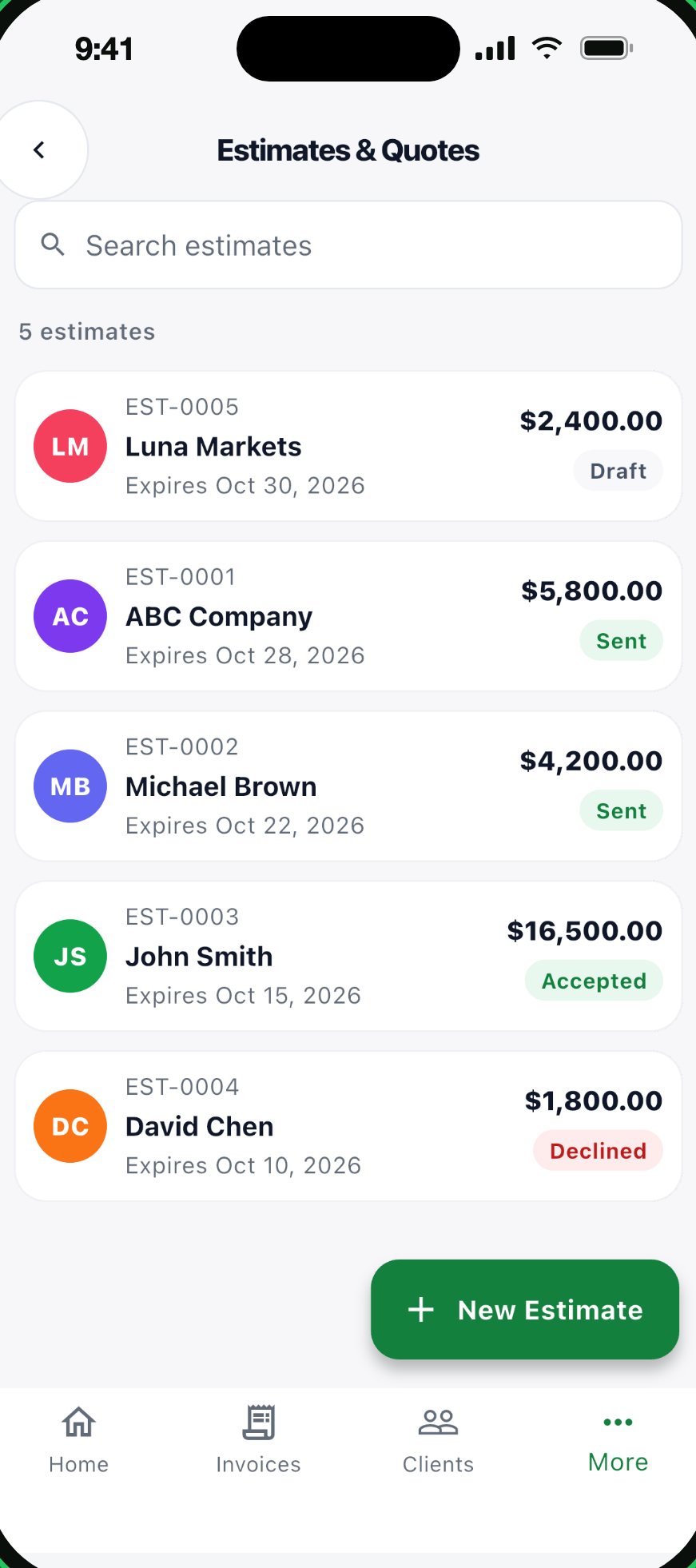
Estimates list showing draft, sent, accepted and declined quotes
Estimates, with their status
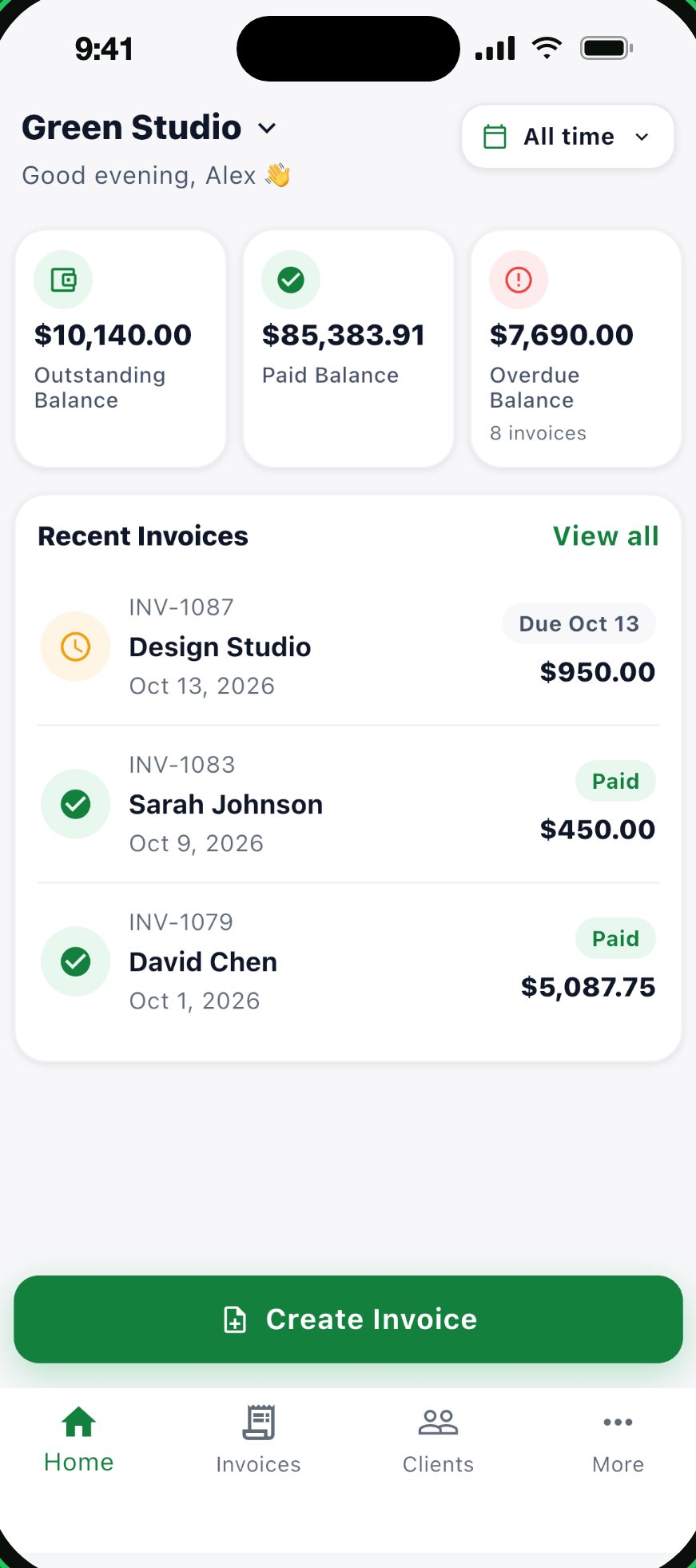
Home screen with outstanding, paid and overdue balances and recent invoices
Balances and recent invoices on the home screen
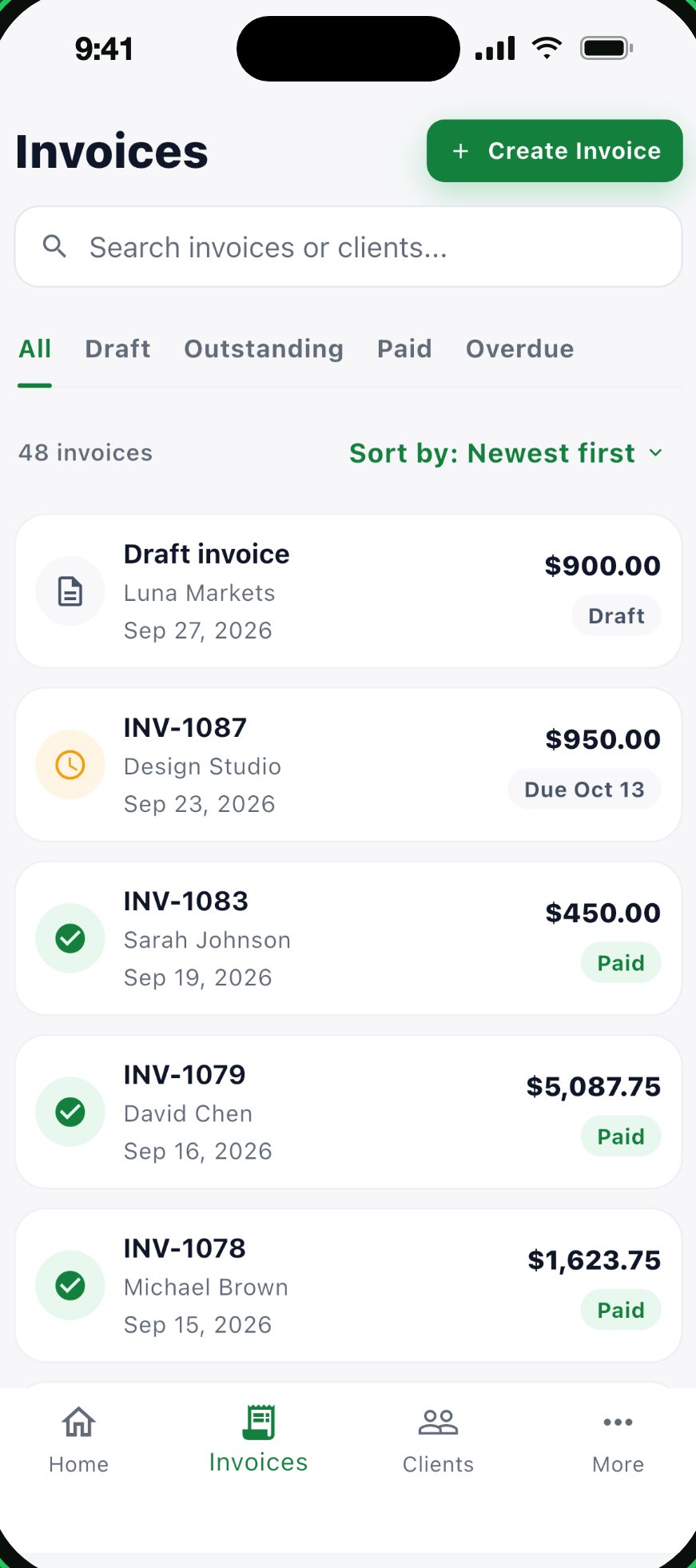
Invoice list filtered by draft, outstanding, paid and overdue
Every invoice, sorted by where it stands

Know exactly what's owed, and by whom

The first screen you see is your money: what's been paid, what's outstanding, and what's overdue.

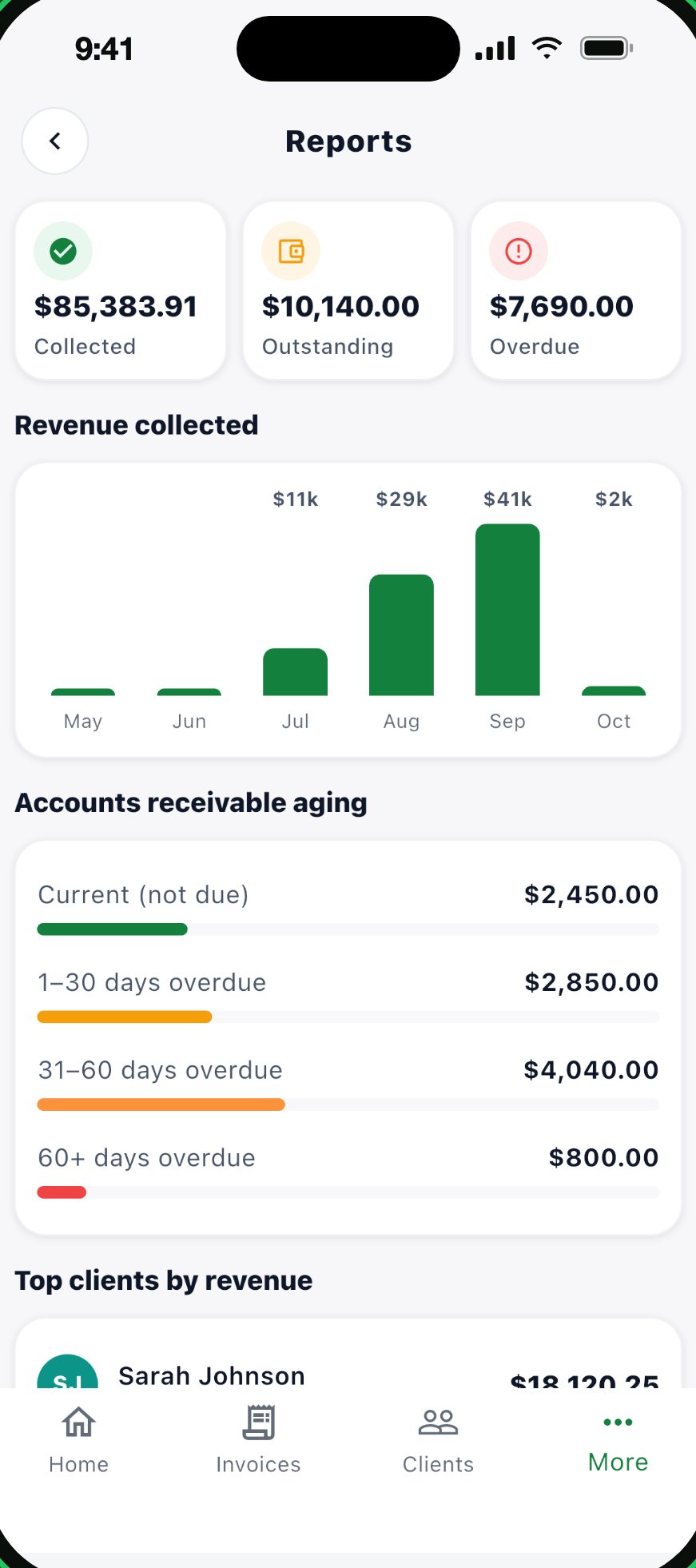
Overdue, by age
See how much is 1 to 30, 31 to 60 and over 60 days late, and email each late client a payment reminder.
Top clients
Which clients bring in the most, and each client's own invoices and balance.
Revenue collected
Money that actually came in, month by month. Sales tax collected on paid invoices, totalled for you.
Reports screen with collected, outstanding and overdue totals and an aging breakdown
Reports, with sample data

The details that save you a tap

Small things, done properly.

Your logo and colour
Add your logo and pick a brand colour. Every PDF looks like it came from your business.
Saved clients and items
Clients and the things you sell are remembered, so repeat jobs take seconds.
Recurring invoices
Save a monthly or weekly schedule. Your phone reminds you, and one tap creates the invoice.
Works without signal
Write invoices in a basement or a field. Everything syncs to your account when you're back online.
More than one business
Run two trades or two brands? Each business gets its own details, logo and currency.
36 currencies, 7 languages
Dollars, pounds, euros, dirhams and more. Use the app in English, Spanish, French, German, Portuguese, Turkish or Arabic.

What it doesn't do

Better you hear it here than after the trial.

Pay for businesses, not features

Every plan has every feature. Plans differ only in how many businesses you run.

PlanBusinessesPrice
Standard1 business$5.99 a month
ProUp to 3 businesses$9.99 a month
EliteUnlimited businesses$19.99 a month

Every plan: unlimited invoices, estimates and clients. Free trial: 14 days from the day you create your account, no card needed. When it ends, the app becomes view-only until you subscribe. Nothing is deleted. Subscriptions are billed monthly by Apple, renew until cancelled, and can be cancelled any time in your Apple ID settings. Prices are in US dollars; the App Store shows the price in your currency.

Questions

Anything else: [email protected]

Do I need a card to try it?

No. Create an account and you get 14 days with everything unlocked. You only pay if you choose a plan.

What happens when the trial ends?

Your invoices, estimates and clients stay in the app, and you can still open them. Creating or editing needs a plan. You can also export all your data as a file.

How do my clients get the invoice?

The app makes a PDF on your phone. You share it through the iOS share sheet, so WhatsApp, Messages, Mail, AirDrop or any other app works.

Can I put my own tax rate on invoices?

Yes. Set a tax name and rate for the invoice, and the app adds it after any discount. It uses one rate per invoice, not per line.

Does it work offline?

Yes. You need a connection to sign in. After that you can create and edit offline, and changes sync when you're back online.

Do you show ads or sell my data?

The app has no ads, and we don't sell your data. You can delete your account and data from inside the app. This website uses a Meta pixel only if you allow it in the cookie banner; see website cookies. The full details are in the privacy policy.

Send your next invoice from the job

Try every feature for 14 days. No card needed.